Cricfy TV on Firestick

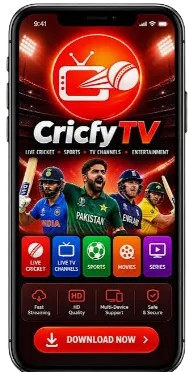
Do you want to watch live cricket on a big TV? Then Cricfy TV on Firestick is a good choice. You can watch live matches on your TV screen, with your family. In this article, you will learn how to install the app on Firestick in easy steps.
Why Watch Cricfy TV on Firestick?
A phone screen is small, so a fast ball or a small score can be hard to see well. A TV screen is big, and every shot looks clear and bright from your sofa. You can sit with your whole family and enjoy a big game together in one room. The sound feels stronger on TV, so cheers and crowd noise add more fun. You can also control each step with a simple remote from your seat.
A Bigger Screen for Live Matches
On a TV, you can see the ball, the players, and the score clearly. You do not need to hold a phone in your hand. Just sit back and watch.
Easy to Use With a Remote
The Firestick remote is simple. You can move up and down, pick a match, and press play. Even a new user can do it in a few seconds.
What You Need Before You Start
What You Need Before You Start
You do not need many things to start this setup at home today. Most homes already have these basic items ready in the living room. Just check each item once before you begin the steps given below. If one item is missing, get it first and then start the whole setup. This small check saves your time and helps you finish the work without any pause. Keep all items on one table near your TV.
A Firestick (any model works)
Wi-Fi connection
The Downloader app (free from the Amazon Appstore)
A few minutes of time
How to Install Cricfy TV on Firestick
This app is not present in the Amazon Appstore, so you can not get it from there. You need to bring it from the official download page with a few easy steps. Each step is short and simple, even for a first time user at home. Follow the steps in the same order and do not skip any step. Keep your Wi-Fi on during this whole work. In a few minutes, the app will be ready on your TV screen.
Allow Apps from Unknown Sources
First, open Settings on your Firestick. Go to My Fire TV, then open Developer Options. Turn on Install Unknown Apps (on some models it is called Apps from Unknown Sources). This step lets you install apps from outside the Appstore.
Install the Downloader App
Now go to the Amazon Appstore on your Firestick. Search for Downloader. Install it. It is free. Downloader helps you download files on a TV.
Download the Cricfy TV File
Open Downloader. Type the download page link in the URL box: https://cricfylive.tv/download/ — then go to the page and download the file. Wait for the download to finish.
Install and Open the App
When the download is done, tap Install. Then tap Open. The app is ready to use on your TV.
How to Watch Live Matches on Your TV
Watching a match on your TV is very easy and takes only a few taps. First open the app and look at the home screen in front of you. You will see names of games that are live at that time. Pick the game you like and then choose one stream link from the list. If that link stops or loads slow, go back and try a second link. This whole process takes less than a minute for most users.
Live Cricket on the Big Screen
You can watch live cricket matches, including international matches and leagues. The score and the ball are clear on a big screen.
Live Football on the Big Screen
You can also watch live football from top leagues and cups. Pick the football section in the app and tap the match you want.
If the App Stops Working
At times, the app can stop or a stream can freeze during a big game. This is a common issue and most users face it once in a while. There is no need to worry, as most faults have a quick and easy fix. Read each problem below and try its fix one by one at home. In most cases, your stream will start again in just a few minutes. Do not remove the app before you try these fixes.
The Stream Is Buffering
Check your Wi-Fi connection. Move your router closer to the TV if you can. Close other apps on the Firestick and try again.
The App Does Not Open
Go to Settings on your Firestick, then Applications. Find the app and clear its cache. Then open the app again. If it still does not work, uninstall it and install it again.
The Link Does Not Work
Some links stop working during a match. Go back and pick another stream link for the same match.
Good Points and Bad Points
Every app has some strong sides and some weak sides for its users. This app also gives you many good things, but a few bad points are there too. Read both sides with care before you decide to use it daily. This will help you know what to expect on your TV at home. Then you can use it in a better and safer way each day. This honest list will help you make a clear choice.
Good points
Live cricket and football on a big TV screen
Free to use
Simple remote control
Whole family can watch together
Bad points
Not in the Amazon Appstore
Some links may stop working
Ads can appear in the app
Is It Safe to Use on Firestick?
This is a third party app, and it is not present in the official store. So you should stay careful while you get it and while you use it. Always take the file only from the official download page on the web. Do not take it from any random site, link, or unknown page online. Also, never use this app for bank work or any payment task at home. Use it only for sports and keep your personal data safe
Final Words
Watching live sports on a big TV at home is a great feeling for any fan. With this setup, you can enjoy cricket and football on TV without any cost. The install part takes only a few minutes if you follow each step with care. After that, just open the app, pick your game, and sit back with family. It is a simple way to enjoy big games on a big screen. Share this guide with a friend who loves live sports.
FAQs
Is Cricfy TV available on Firestick?
There is no official app in the Amazon Appstore, but you can install it on Firestick with the Downloader app from the official download page.
Is it free to use on Firestick?
Yes, the app is free to download and use.
Can I watch IPL on Firestick?
Yes, you can watch live cricket matches, including league matches like the IPL, when they are live.
Do I need a Downloader app?
Yes, Downloader is the easy way to download the file on a Firestick. It is free from the Amazon Appstore.